Telegram
Connect AgentDesk to Telegram for mobile notifications and agent interaction.
The Telegram integration lets you receive notifications and interact with agents through a Telegram bot.
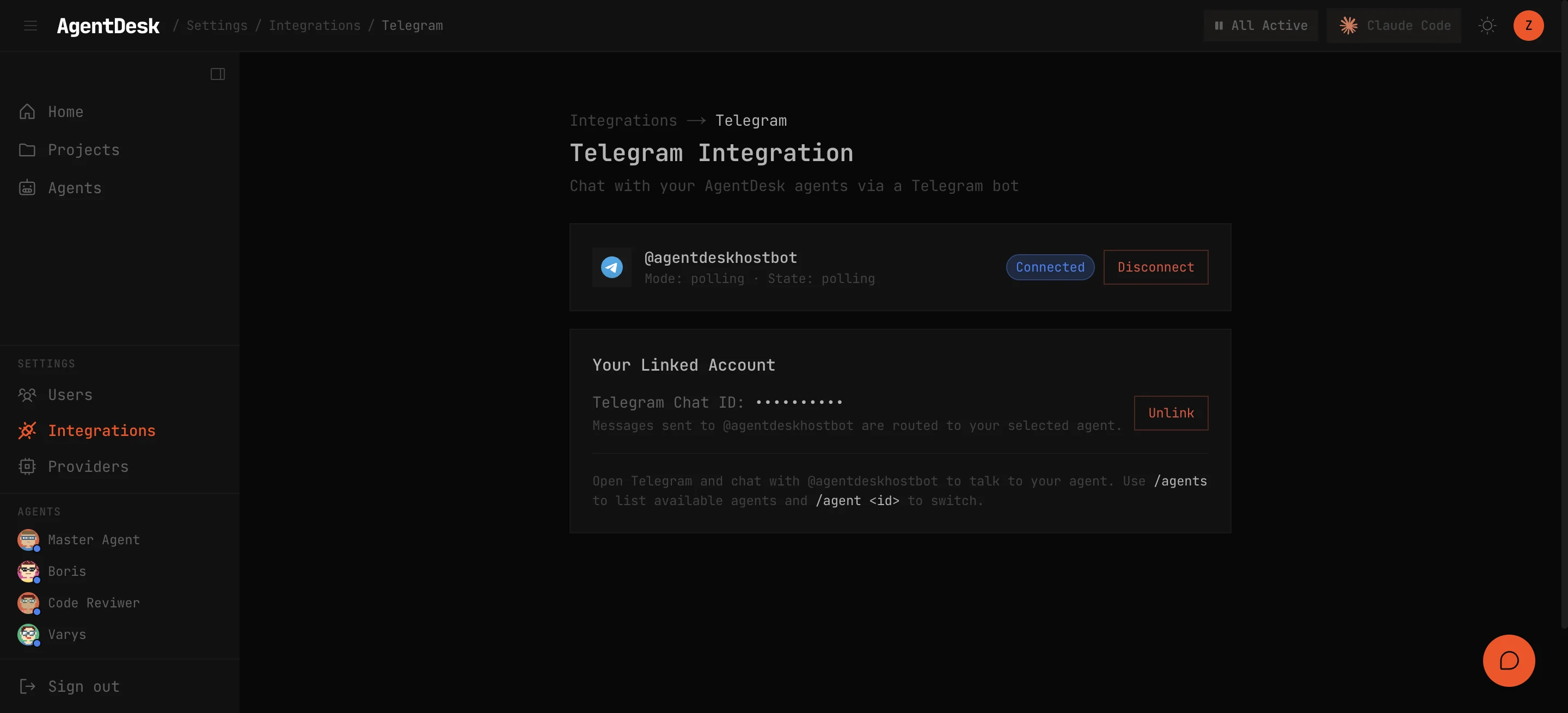
Setup
1. Create a Bot
- Open Telegram and message @BotFather
- Send
/newbotand follow the prompts - Copy the bot token (format:
123456:ABC-DEF1234ghIkl-zyx57W2v1u123ew11)
2. Connect to AgentDesk
Paste the token in the AgentDesk UI under Settings > Integrations > Telegram, or use the CLI:
$ ad-telegram-connect <bot-token> pollingModes:
| Mode | When to use |
|---|---|
polling | Default — works behind NAT, no public URL needed |
webhook | Better for production — requires a public HTTPS URL |
3. Link Your Account
- AgentDesk generates a 6-character link code (valid for 5 minutes)
- Send this code to your Telegram bot
- Your Telegram account is now linked to your AgentDesk user
Features
Once linked, you receive Telegram messages for:
- Task status changes on tasks you’re involved in
- @mentions in task comments
- Agent completion notifications
- Cron job failures
You can also send messages to the bot to interact with agents directly from Telegram.
Proactive Messages
Agents can send Telegram messages programmatically:
$ ad-telegram-send "Deploy complete — all tests passing" --user <userId>Disconnect
$ ad-telegram-disconnectThis stops the Telegram service and removes all stored Telegram configuration.